
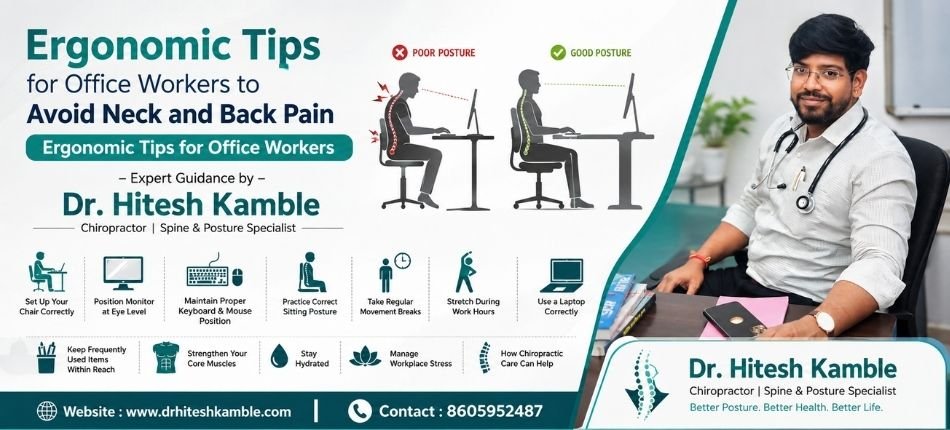
Ergonomic Tips for Office Workers to Avoid Neck and Back Pain | Ergonomic Tips for Office Workers – Dr. Hitesh Kamble
Modern office jobs require employees to spend long hours sitting in front of computers. While technology has made work more efficient, it has also increased the risk of neck pain, lower back pain, shoulder stiffness, and poor posture. Many people ignore these symptoms until they begin affecting their daily activities and productivity.
Following proper ergonomic tips for office workers can significantly reduce the risk of musculoskeletal problems. At Dr. Hitesh Kamble, we help individuals maintain spinal health through chiropractic care, posture correction, and ergonomic guidance.
Why Office Workers Experience Neck and Back Pain
Prolonged sitting places continuous stress on the spine and surrounding muscles. Poor workstation design, improper sitting posture, and lack of movement can lead to chronic discomfort.
Common causes include:
- Sitting for long hours without breaks
- Incorrect chair height
- Poor monitor positioning
- Using laptops without external accessories
- Slouching or leaning forward
- Lack of lumbar support
- Repetitive keyboard and mouse use
Ignoring these issues may eventually cause chronic neck pain, lower back pain, headaches, muscle fatigue, and reduced mobility.
1.Set Up Your Chair Correctly
A properly adjusted chair is the foundation of an ergonomic workspace. Ensure your chair height allows your feet to rest flat on the floor with your knees bent at approximately 90 degrees. Your hips should be level with or slightly higher than your knees to maintain the natural curve of your spine. Use the chair’s lumbar support to support your lower back and sit with your back fully against the backrest. Keep your shoulders relaxed and avoid leaning forward for extended periods. If your feet do not comfortably reach the floor, use a footrest to reduce strain on your legs and lower back.
2. Position Your Monitor at Eye Level
Incorrect monitor placement is one of the leading causes of neck pain among office workers. Your computer monitor should be positioned directly in front of you, about an arm’s length away, with the top of the screen at or slightly below eye level. This allows you to maintain a neutral neck position without constantly looking up or down. If you use multiple monitors, place the primary screen directly in front of you and keep the secondary monitor close enough to avoid excessive neck rotation. Adjusting your monitor height can significantly reduce cervical spine strain and improve overall comfort during long work hours.
3. Maintain Proper Keyboard and Mouse Position
The position of your keyboard and mouse plays a major role in preventing wrist, shoulder, and upper back discomfort. Keep both devices close to your body so your elbows remain bent at about 90 degrees and your upper arms stay relaxed by your sides. Your wrists should remain straight rather than bent upward or downward while typing. Avoid reaching too far for the mouse, as repetitive stretching can strain the shoulders and neck. An ergonomic keyboard or mouse may provide additional comfort for individuals who spend many hours working on a computer each day.
4. Practice Correct Sitting Posture
Maintaining good posture throughout the workday helps distribute body weight evenly across the spine and reduces unnecessary pressure on muscles and joints. Sit upright with your back fully supported, shoulders relaxed, and chin slightly tucked instead of pushing your head forward. Keep both feet flat on the floor and avoid crossing your legs for prolonged periods, as this can affect spinal alignment and circulation. Developing proper sitting habits can reduce fatigue, improve breathing, and lower the risk of chronic neck and back pain over time.
5. Take Regular Movement Breaks
Even the best sitting posture becomes unhealthy if maintained continuously for several hours. Taking short movement breaks every 30 to 45 minutes allows your muscles and joints to recover from prolonged static positions. Stand up, walk around the office, or perform a few gentle stretches to improve blood circulation and reduce muscle stiffness. These brief breaks also help relieve pressure on the spinal discs, reduce eye strain, and improve concentration, making you more productive throughout the workday.
6. Stretch During Work Hours
Regular stretching helps relieve muscle tension that develops from sitting for long periods. Gentle stretches targeting the neck, shoulders, chest, wrists, lower back, and hamstrings can improve flexibility and reduce stiffness. Simple exercises such as shoulder rolls, neck side stretches, chest-opening stretches, and seated spinal twists can be performed at your workstation without special equipment. Incorporating stretching into your daily routine not only helps prevent discomfort but also improves posture and reduces the likelihood of developing repetitive strain injuries.
7. Use a Laptop Correctly
While laptops offer convenience and portability, they are not designed for prolonged use without ergonomic adjustments. Since the screen and keyboard are attached, users often bend their necks downward, leading to poor posture and neck strain. For extended work sessions, use a laptop stand to raise the screen to eye level and connect an external keyboard and mouse. Avoid working from beds, sofas, or other unsupported surfaces that encourage slouching. Proper laptop ergonomics can significantly reduce stress on the neck, shoulders, and lower back.
8. Keep Frequently Used Items Within Reach
Repeated reaching, twisting, or leaning throughout the day can place unnecessary strain on the shoulders, neck, and spine. Arrange your workspace so that commonly used items such as your keyboard, mouse, phone, documents, water bottle, and stationery are within easy reach. Keeping your work area organized minimizes awkward movements and helps maintain a neutral sitting posture. An efficiently arranged workstation not only reduces physical strain but also improves workflow and overall productivity.
9. Strengthen Your Core Muscles
Strong core muscles provide essential support for the spine and help maintain proper posture during daily activities. The muscles of the abdomen, lower back, pelvis, and hips work together to stabilize the body and reduce stress on the spinal structures. Incorporating exercises such as planks, bridges, bird-dog exercises, and pelvic tilts into your fitness routine can strengthen these muscles and improve spinal stability. A stronger core also helps reduce the risk of lower back injuries and supports better balance and movement.
10. Stay Hydrated
Proper hydration is often overlooked when discussing spinal health, yet it plays an important role in maintaining healthy muscles and spinal discs. The intervertebral discs that cushion the spine contain a significant amount of water, which helps them absorb shock and maintain flexibility. Drinking enough water throughout the day supports overall body function, reduces muscle fatigue, and helps prevent cramps. Keeping a water bottle at your workstation also encourages regular hydration while serving as a reminder to take short movement breaks.
11. Manage Workplace Stress
Mental stress frequently manifests as physical tension, particularly in the neck, shoulders, and upper back. Tight muscles caused by stress can worsen posture-related discomfort and contribute to headaches and chronic pain. Practicing stress management techniques such as deep breathing exercises, mindfulness meditation, short walks, or simple relaxation exercises during breaks can help reduce muscle tension. Maintaining a healthy work-life balance and getting sufficient sleep also contribute to better physical and emotional well-being, reducing the overall impact of workplace stress on your body.
When Should You See a Chiropractor?
Professional evaluation is recommended if you experience:
- Persistent neck pain
- Chronic lower back pain
- Tingling or numbness
- Frequent headaches
- Poor posture
- Reduced neck movement
Early treatment prevents minor problems from becoming chronic conditions.
How Chiropractic Care Can Help
Chiropractic care can be highly beneficial for office workers experiencing neck pain, back pain, poor posture, or stiffness caused by prolonged sitting. At Dr. Hitesh Kamble, every patient undergoes a detailed assessment to identify posture-related issues, spinal misalignments, and muscle imbalances. Treatment may include gentle chiropractic adjustments, soft tissue therapy, posture correction techniques, ergonomic advice, and customized stretching and strengthening exercises. By addressing the underlying cause rather than simply masking symptoms, chiropractic care helps improve spinal alignment, restore mobility, reduce pain, and support long-term musculoskeletal health, allowing office workers to perform their daily tasks more comfortably and efficiently.
Conclusion
Following simple ergonomic tips for office workers can dramatically reduce the risk of neck and back pain. Combining an ergonomic workstation, proper posture, regular movement, and professional chiropractic care helps maintain a healthy spine even during demanding office schedules.
If you’re experiencing persistent neck or back discomfort, consult Dr. Hitesh Kamble for a comprehensive spinal evaluation and personalized treatment plan.
Ergonomic Tips for Office Workers Ergonomic Tips for Office Workers Ergonomic Tips for Office Workers Ergonomic Tips for Office Workers Ergonomic Tips for Office Workers Ergonomic Tips for Office Workers Ergonomic Tips for Office Workers Ergonomic Tips for Office Workers Ergonomic Tips for Office Workers Ergonomic Tips for Office Workers Ergonomic Tips for Office Workers Ergonomic Tips for Office Workers
